5 New Android Features in the September 2026 Drop You Should Try
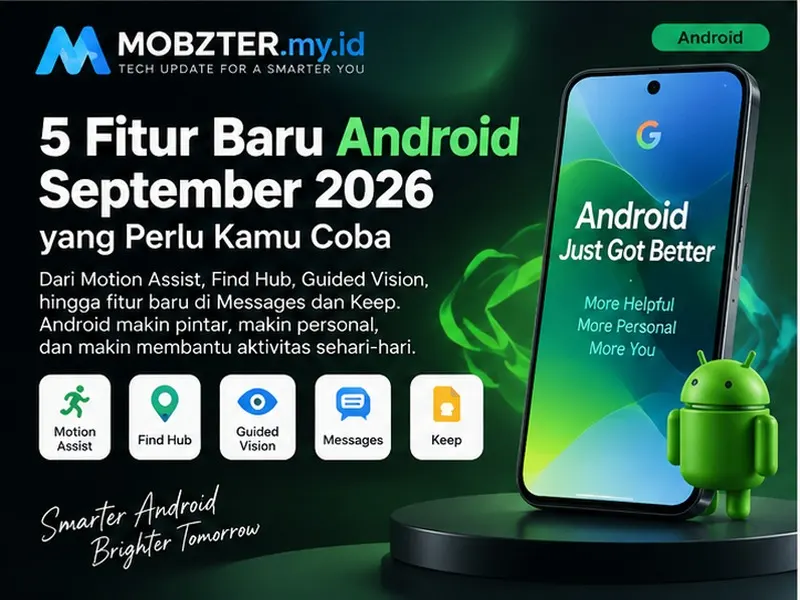
Google's September 2026 Android Drop adds five practical upgrades that help you find misplaced items, reduce motion discomfort in a moving car, understand your surroundings, collaborate on notes and personalize conversations. Here is what each feature does, which Android version it needs and how to check whether it has reached your phone.
This is not a single operating-system upgrade that arrives on every Android phone at once. Some additions are delivered through Google apps or Google Play services, while others require Android 16 or Android 17. That distinction matters when you are trying to work out why a feature appears on one phone but not another.
September 2026 Android Drop: compatibility at a glance
| Feature | What it does | Announced availability |
|---|---|---|
| Gemini memories in Find Hub | Saves the location of everyday items without a tracker tag | Android 16+ in supported countries |
| Motion Assist | Adds a moving bubble overlay designed to reduce motion sickness | Phones running Android 17 |
| Guided vision | Uses Gemini Live and the camera to describe nearby objects and text | Coming to Android 9+ in supported countries |
| Google Keep in Messages | Creates and edits shared notes without leaving a conversation | Rolling out through Google Messages |
| Chat themes | Adds custom backgrounds and matching message-bubble colors | Available through Google Messages |
1Ask Gemini to remember where you put things
Find Hub is becoming useful for more than phones, earbuds and tracker tags. On supported devices, you can ask Gemini to remember where you placed an untagged item, such as a passport, spare key or important document. The location is saved in Find Hub, with the option to attach a photo.
For example, you could say, "Remember in Find Hub that I put my passport in the bedroom drawer." Later, ask Gemini where the passport is or open the remembered-items section in Find Hub.
Android 16+GeminiFind HubWhy it is useful: Bluetooth trackers work well for bags and keys, but they are not practical for every document or household object. This feature fills that gap with a simple voice note tied to Find Hub.
2Motion Assist can make passenger-screen time more comfortable
Motion Assist displays subtle bubbles over the screen that move with the vehicle. The visual movement is designed to reduce the mismatch between what your eyes see on a stationary display and what your body feels while the car is moving.
You can set Motion Assist to activate automatically, add it to Quick Settings and customize the bubbles' shape, color and opacity. Google lists the feature for phones running Android 17.
Android 17Quick SettingsCustomizable overlay3Guided vision describes what your camera sees
Guided vision is an accessibility feature inside Gemini Live. Share the camera and Gemini can provide spoken descriptions of objects, printed text and the surrounding scene. Voice prompts can also help you reframe the camera, pan across an area or center an object.
Google says it was designed with blind and low-vision communities. Possible uses include reading fine print on food packaging, understanding a restaurant menu in dim light and identifying household objects.
Android 9+Gemini LiveAccessibilityYou will be able to open it from an Accessibility shortcut, the TalkBack menu or Gemini settings. Google describes Guided vision as coming soon in countries where Gemini is available.
4Create shared Google Keep notes inside Messages
Google Keep integration lets participants create and update a shared list without leaving a Google Messages chat. It is particularly handy for grocery lists, group trips, event planning or any conversation where several people need to edit the same checklist.
Open a conversation, tap the plus button and look for Google Keep. Everyone with access can view the note, add ideas and update completed items.
Google MessagesGoogle KeepShared notes5Give every Google Messages chat its own theme
Chat themes bring custom backgrounds and coordinated colors to individual conversations. Choose a wallpaper or one of your photos, and the message bubbles can automatically match the image. You can then adjust the colors to suit the conversation.
The change is more than decorative: a distinctive visual theme can help you recognize a family, work or travel chat at a glance.
Custom backgroundMatching colorsGoogle MessagesHow to check for the new Android features
Open Settings, then About phone and Android version. The exact menu name may differ by manufacturer.
Open Settings, System and Software update, then install any available update.
In Google Play, update Gemini, Find Hub, Google Messages, Google Keep and Google Play services when an update is offered.
Some server-side features appear without a large system update, so check the app menus after updating.
Google uses staged rollouts. A compatible phone may receive a feature days or weeks after another device.
Why a feature may still be missing
Compatibility is only one part of availability. Your country, language, Google account type, device manufacturer and app version can all affect the rollout. Work or school accounts may also have administrator restrictions. Sideloading an app or forcing an update will not necessarily activate a server-controlled feature.
If Motion Assist is missing on Android 16, for example, updating individual Google apps will not solve the version requirement because Google announced it for Android 17. By contrast, a Google Messages feature may appear through an app update without a full Android upgrade.
Which update should you try first?
For everyday usefulness, Find Hub memories may have the widest appeal because they solve a common problem without requiring a tracker on every item. Motion Assist is the standout addition for frequent passengers, while Guided vision is the most meaningful accessibility upgrade in this release. Keep integration and chat themes make Google Messages more capable without making conversations harder to use.
The September 2026 Android Drop is therefore less about one headline feature and more about removing small points of friction: finding an item, using a screen in transit, reading difficult text, organizing a group and recognizing a conversation quickly.



Comments
Post a Comment